CMS-Kit 🔧🔧🔧
This production ready boilerplate accumulating the experience and best practices collected at Focus Reactive. The project serves the idea of making Headless CMS-based development accessible, comfortable, and fast.
Features
- Next.js 15 for performance: Leverage the power of Next.js 15 for performance and SEO-friendly sites
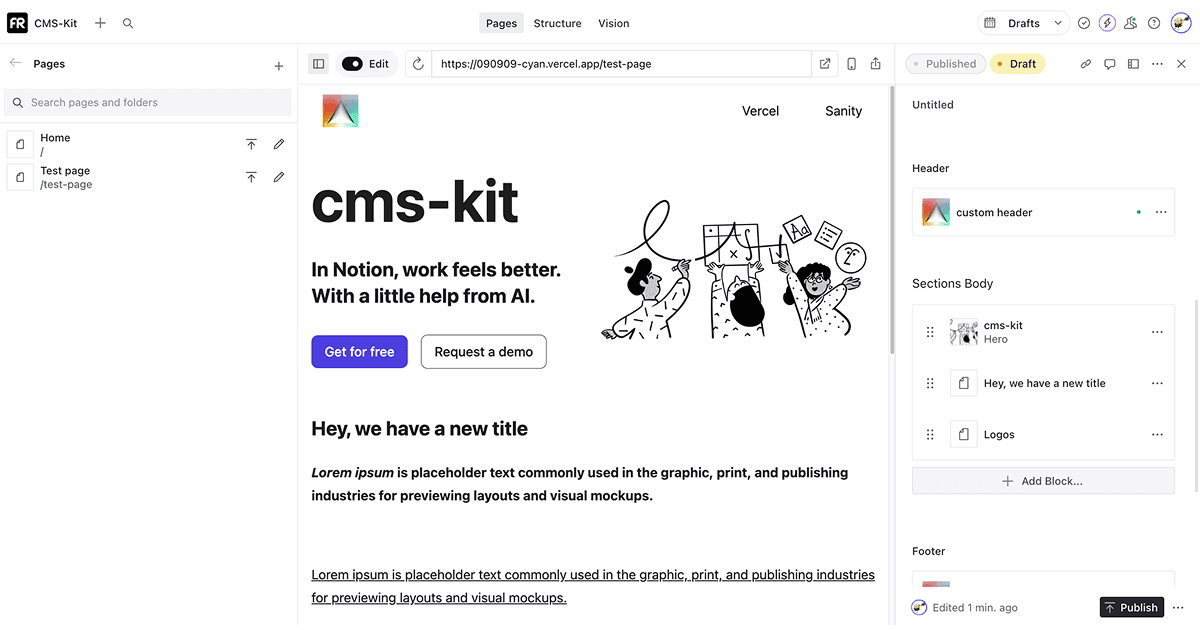
- Real-time editing: Edit content and see changes live, creating dynamic experience
- User-friendly interface: Reduce friction for your team when working with the content
- Advanced content management: Collaborate with your team in real-time using publishing workflows and changes history
- Instant publishing: Make content live instantaneous without delays
- Multi-CMS support: Seamlessly switch between different headless CMS platforms
- Type-safe development: Full TypeScript integration with auto-generated types
- Modern UI components: Pre-built components using Radix UI for consistent design
- Efficient caching: Smart caching strategies for optimal performance
- Theme customization: Flexible theming system using CSS variables
- Automated setup: One-command initialization script that handles CMS platform integration, account linking, and Vercel deployment
Demo 👀
Production website
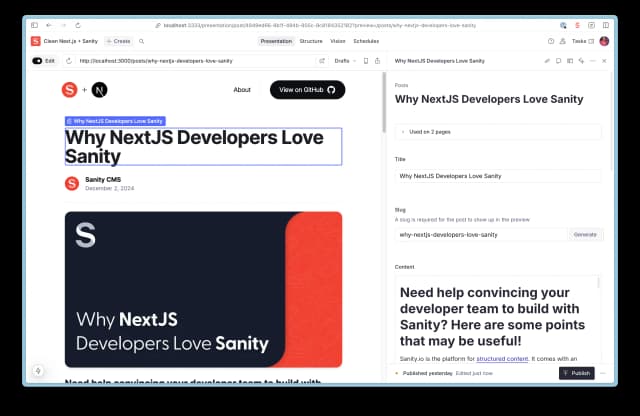
Editing experience
- Sanity
Getting Started
Prerequisites
- Make sure your Github account is linked to Vercel account. You can do it here.
- Make sure pnpm package manages is installed.
Sanity
- Create Github repository, create Sanity project, deploy to Vercel
- Clone project locally
- Navigate to your Github account and clone project repository locally.
- Navigate to project folder.
cd <project folder>- Install dependencies
pnpm install- Pull required ENV variables
Execute following command to pull ENV variables from Vercel and replace some of the with local development values
pnpm vercel link &&pnpm vercel env pull &&mv .env.local apps/sanity/- Import templates and example pages data
cd apps/sanity && pnpm import-dataset- Run project locally
pnpm devStoryblok
-
Create a new repository using this template by clicking the "Use this template" button at the top of the repository page.
-
Await the initial workflow to be finished
-
Clone your new repository:
git clone <your-repository-url> -
Navigate to the project directory:
cd <repository-name> -
Install dependencies using pnpm:
pnpm install -
Navigate to the Storyblok CLI directory:
cd apps/storyblok/CLI -
Run the setup script,
⚠️ command should be executed from apps/storyblok/CLI (previous step), to consume correct environment variables:
node sb.mjs-
Follow the interactive prompts in the CLI tool to:
- Enter your Storyblok Personal Access Token
- Enter your Vercel Personal Auth Token
- Select your Vercel team
- Choose a project name
- Complete the space creation and configuration process
-
Go to project settings in Vercel dashboard
- select Git section
- create deploy hook and copy it
- select Environment variables section
- add variables called VERCEL_REDEPLOY_HOOK_URL and assign it to created deploy hook value
- trigger rebuild
This process ensures that global component updates are displayed on all pages.
🏁 Your CMS-based project is ready 🏁
Payload
Payload CMS with PostgreSQL, multi-tenancy, i18n, and A/B testing.
Prerequisites:
- Docker (for PostgreSQL)
- Node.js ≥20, pnpm ≥9
Setup:
- Start PostgreSQL:
cd apps/payloaddocker-compose up -d- Copy and fill environment variables:
cp apps/payload/.env.local.example apps/payload/.env.localRequired env vars:
DATABASE_URI="postgresql://postgres:password@localhost:5432/payload"PAYLOAD_SECRET="your-secret-key"NEXT_PUBLIC_SERVER_URL="http://localhost:3000"# Auth0 (optional, for admin auth):AUTH0_SECRET="..."AUTH0_BASE_URL="http://localhost:3000"AUTH0_ISSUER_BASE_URL="https://your-tenant.auth0.com"AUTH0_CLIENT_ID="..."AUTH0_CLIENT_SECRET="..."- Run migrations and generate types:
pnpm --filter payload payload migratepnpm --filter payload generate:typespnpm --filter payload generate:importmap- Start dev server:
pnpm --filter payload dev# or from monorepo root:turbo dev --filter=payloadAdmin panel: http://localhost:3000/admin
Migrations:
pnpm --filter payload payload migrate:create # create new migrationpnpm --filter payload payload migrate # run pending migrationsRepo structure
apps/payload: CMS app (Payload CMS + PostgreSQL)apps/storyblok: CMS appapps/sanity: CMS apppackages/ui: UI components library, shared between both CMS appspackages/eslint-config: sharedeslintconfigurationspackages/ts-config: sharedts-configconfigurationpackages/tailwind-config: sharedtailwindconfiguration
Types of components
- UI component - universal and sharable component between multiple CMSs
- Controller component - takes data from CMS, convert it to UI component format, and use UI component with converted props. Each CMS has it's own controller component for each UI component.
- All controller components have common propertiers to change style, such as margin, background, alignment etc.
Components composition and hierarchy
The website structure follows a clear hierarchical composition:
-
Pages
- Top-level components that represent entire web pages
- Each page contains multiple sections, SEO properties and theme
-
Sections
- Container components that organize content into distinct areas
- Can be configured with settings like margin, background, width, alignment etc.
- Hold and arrange other components
-
Base Components
- Components like link, image, and rich text
- Combination of multiple functional components like card
- Can be combined and reused across different sections
RichText component has additional functionality. It allows to add sections inside, which gives ability to combine sections with text.
Add new section
- Create new component using generators
pnpm gen- Select type of component to create
- UI: Create a new UI component- Storyblok: Create a new content section- Sanity: Create a new content section- Enter name of the component
- For Storyblok, add section component to the CMS
- Update properties and design
- Go to CMS folder
cd apps/storyblokor
cd apps/sanity- Generate types for added section
pnpm sb-login
pnpm gen:typesUpdate existing section
- Updata design
- Update fields
- Go to CMS folder
cd apps/storyblokor
cd apps/sanity- Generate types for updated section
pnpm gen:typesStart project in dev mode
Instalation
- Clone repository
git clone https://github.com/focusreactive/cms-kit
- Go to project directory
cd cms-kit
- Install dependencies
pnpm install
- Add and fill
.envand.env.localfile with proper data:
Create .env and .env.local files in project folder (apps/sanity or apps/storyblok) and add the following variables:
.env
REPO_PROD_BRANCH="main"REPO_TYPE="github"REPO_ID="[repo id]"REPO_NAME="[nickname]/[repo name]"Storyblok project
.env.local
NEXT_PUBLIC_DOMAIN="https://localhost:4050"NEXT_PUBLIC_IS_PREVIEW="true"NEXT_PUBLIC_STORYBLOK_TOKEN="[storyblok space preview token]"NEXT_PUBLIC_STORYBLOK_API_GATE="https://api.storyblok.com/v2/cdn"Sanity project
.env.local
NEXT_PUBLIC_BASE_URL="http://localhost:3000"NEXT_PUBLIC_SANITY_PROJECT_ID="[project id]"NEXT_PUBLIC_SANITY_DATASET="production"SANITY_API_READ_TOKEN="[read token]"- Run dev server
pnpm dev
Happy hacking 👾