VercelLogotypeVercelLogotype
LoginSign Up
Back to Templates

Builder.io Personalization Starter

Learn how to use Builder.io to personalize your Next.js pages.

DeployView Demo
Builder.io Personalization Starter

Next.js + Builder.io Personalization & A/B Testing with Edge Middleware

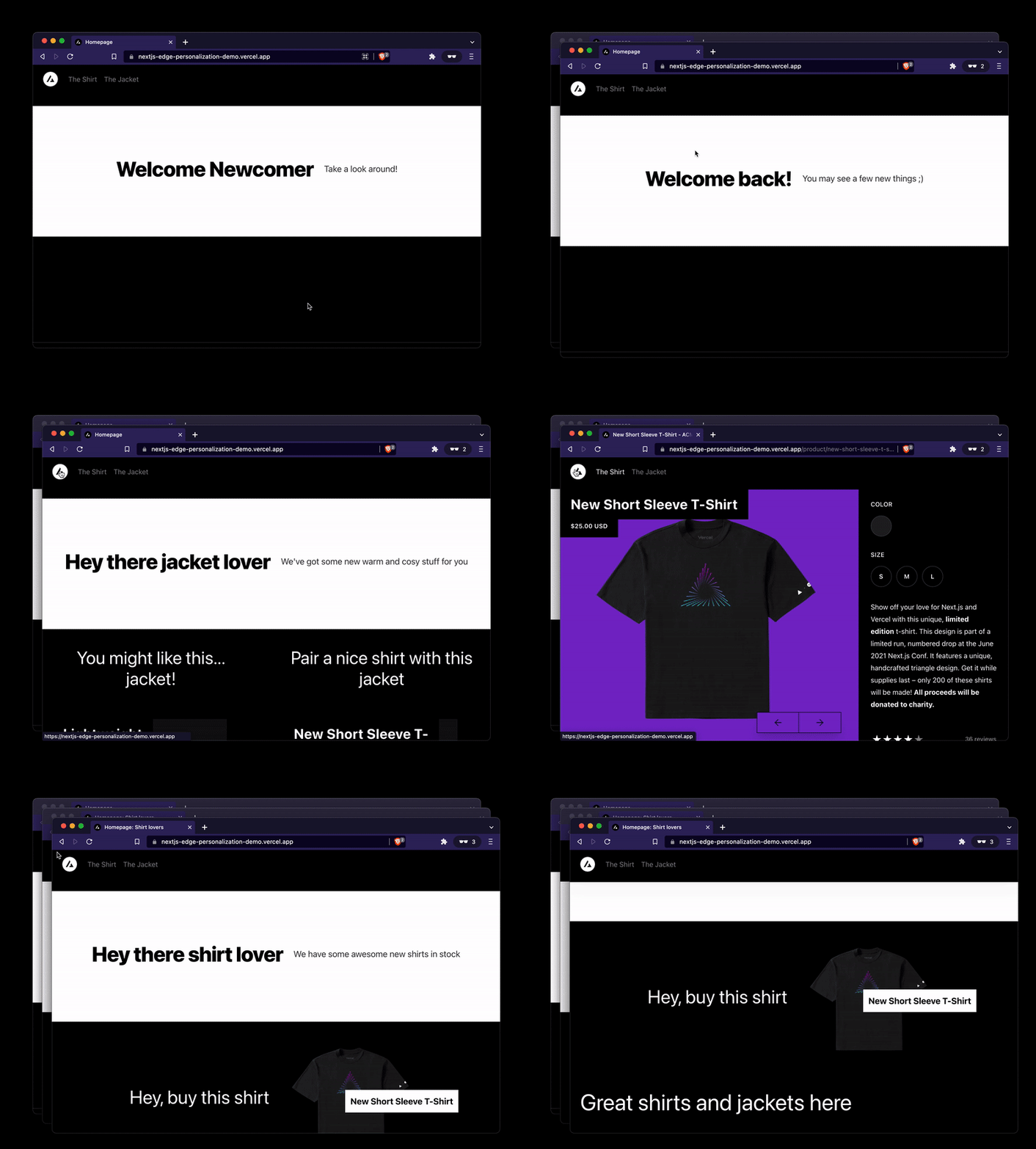
This is a fork of Next.js Commerce with Builder.io integrated and using Edge Middleware to personalize pages with targeting and a/b testing with great performance.

Try it here

Contents

  • Overview
  • How this works
  • Get Started
  • Explore the code
  • Next Steps

Overview

View an in depth overview of Builder.io + Vercel Edge Functions here.

How this works

In short, to personalize a page, we rewrite a basic path to a path + a hash of personalized attribtues.

For instance, if you have a pages/page.tsx, you can rename it to pages/page/[hash].tsx, and add it to be included into the rewriting middleware to add the personalized hash at the end.

You can now have your page return personalized content based on what is in the hash, and this is purely automatic via what personalization.* cookies are present.

You can set them at any time to target off of, for instance:

Cookies.set('personalization.returnVisitor', 'true')

And now your /page will be rewritten to /page/returnVisitor=true when that cookie is present, and be handled accordingly.

You can learn more about this technique here.

Then, you can visually create and edit pages, sections, and data on your site with Builder.io's visual editor, dragging and dropping with your React components and publish unlimited variations to your site without any code or deploys needed:

Get Started

Run Locally

Clone this repo
git clone https://github.com/BuilderIO/nextjs-edge-personalization-demo.git
cd nextjs-edge-personalization-demo
Run the dev server

Next, from the project root:

yarn # run this command in root folder of the mono repo
yarn dev
Connect Builder.io

To connect Builder.io, create a free account, from your account settings copy your Public API Key and paste it into site/config/builder.ts.

Set your Preview URL

Next, head to builder.io/models and choose the page model and enter http://localhost:3000 as the preview URL, and then hit save at the top right of the page.

Configure personalization attributes

Now, in Builder.io add some targeting attributes to begin personalizing your content on. Head to builder.io/account and click on the pencil next to Custom targeting attributes and add some attributes; for instance as in this next image:

Above, we create an attribute called returnVisitor that is a boolean that we set here so it can be read by edge middleware, as well as an attribute called audience that is an enum of a couple made up segments like shirt-shipper and jacket-shopper that we set here via browsing history (could alternatively be set upon add to cart or other actions).

Note: generally audiences should come from a CDP, like

myCdp.getAudiences().then((audiences) => {
// assuming audiences is an array of strings, like ['shirt-shipper', 'jacket-shopper']
Cookies.set('personalization.audience', JSON.stringify(audiences))
})
Create a page

Now, go to builder.io/content and choose the + new button, choose page, and drag and drop to create a page on your Next.js site with your React components!

:warning: If you are having trouble connecting: be sure you are running your dev server on http://localhost:3000 by running yarn dev from this project root like shown above

Target and publish your page

At the top of the editor, you can configure which audiences should see this page variant, and publish.

Deploy to Netlify

No work needed, just connect your repo to Netlify!

Deploy to Vercel

To get your site live, you can deploy it to Vercel. Be sure to use the following configuration:

  • Framework preset: Next.js
  • Build command: cd .. && yarn build

Once you deploy to vercel, you can update your Preview URL to use the live URL so now others on your team can create content on your new site with Builder.io.

For example, if your site is now live at https://my-site.vercel.app, you can go back to builder.io/models, choose the page model, and update your Preview URL to https://my-site.vercel.app and save.

Explore the code

Some key places to look in the codebase:

  • site/config/builder.ts is where we configure Builder.io custom components and settings.
  • site/pages/[[...pages]].tsx is where we integrate page building, including fetching data from Builder.io and rendering it.
  • site/middleware.ts is where we create and configure the edge middleware for personalizing pages.

Next Steps

Learn more about:

  • Developing with Builder.io
  • Registering Custom Components with Builder.io
  • Using Query Params and Cookies in Next.js Static Pages
  • Next.js Middleware
  • Next.js personalization utils used in this example

Troubleshooting

Run into any issues? Chat with us in discord!

GitHub RepoBuilderIO/nextjs-edge-personalization-ab-testing
LicenseView License
Use Cases
StarterCMS
Stack
Next.jsTailwind
CMS
Builder.io

Related Templates

Get Started

  • Templates
  • Supported frameworks
  • Marketplace
  • Domains

Build

  • Next.js on Vercel
  • Turborepo
  • v0

Scale

  • Content delivery network
  • Fluid compute
  • CI/CD
  • Observability
  • AI GatewayNew
  • Vercel AgentNew

Secure

  • Platform security
  • Web Application Firewall
  • Bot management
  • BotID
  • SandboxNew

Resources

  • Pricing
  • Customers
  • Enterprise
  • Articles
  • Startups
  • Solution partners

Learn

  • Docs
  • Blog
  • Changelog
  • Knowledge Base
  • Academy
  • Community

Frameworks

  • Next.js
  • Nuxt
  • Svelte
  • Nitro
  • Turbo

SDKs

  • AI SDK
  • Workflow SDKNew
  • Flags SDK
  • Chat SDK
  • Streamdown AINew

Use Cases

  • Composable commerce
  • Multi-tenant platforms
  • Web apps
  • Marketing sites
  • Platform engineers
  • Design engineers

Company

  • About
  • Careers
  • Help
  • Press
  • Legal
  • Privacy Policy

Community

  • Open source program
  • Events
  • Shipped on Vercel
  • GitHub
  • LinkedIn
  • X
  • YouTube

Loading status…

Select a display theme:
    • AI Cloud
      • v0

        Build applications with AI

      • AI SDK

        The AI Toolkit for TypeScript

      • AI Gateway

        One endpoint, all your models

      • Vercel Agent

        An agent that knows your stack

      • Sandbox

        AI workflows in live environments

    • Core Platform
      • CI/CD

        Helping teams ship 6× faster

      • Content Delivery

        Fast, scalable, and reliable

      • Fluid Compute

        Servers, in serverless form

      • Observability

        Trace every step

    • Security
      • Bot Management

        Scalable bot protection

      • BotID

        Invisible CAPTCHA

      • Platform Security

        DDoS Protection, Firewall

      • Web Application Firewall

        Granular, custom protection

    • Company
      • Customers

        Trusted by the best teams

      • Blog

        The latest posts and changes

      • Changelog

        See what shipped

      • Press

        Read the latest news

      • Events

        Join us at an event

    • Learn
      • Docs

        Vercel documentation

      • Academy

        Linear courses to level up

      • Knowledge Base

        Find help quickly

      • Community

        Join the conversation

    • Open Source
      • Next.js

        The native Next.js platform

      • Nuxt

        The progressive web framework

      • Svelte

        The web’s efficient UI framework

      • Turborepo

        Speed with Enterprise scale

    • Use Cases
      • AI Apps

        Deploy at the speed of AI

      • Composable Commerce

        Power storefronts that convert

      • Marketing Sites

        Launch campaigns fast

      • Multi-tenant Platforms

        Scale apps with one codebase

      • Web Apps

        Ship features, not infrastructure

    • Tools
      • Marketplace

        Extend and automate workflows

      • Templates

        Jumpstart app development

      • Partner Finder

        Get help from solution partners

    • Users
      • Platform Engineers

        Automate away repetition

      • Design Engineers

        Deploy for every idea

  • Enterprise
  • Pricing
Log InContact
Sign Up
Sign Up
Back to Templates
DeployView Demo

A/B Testing Simple

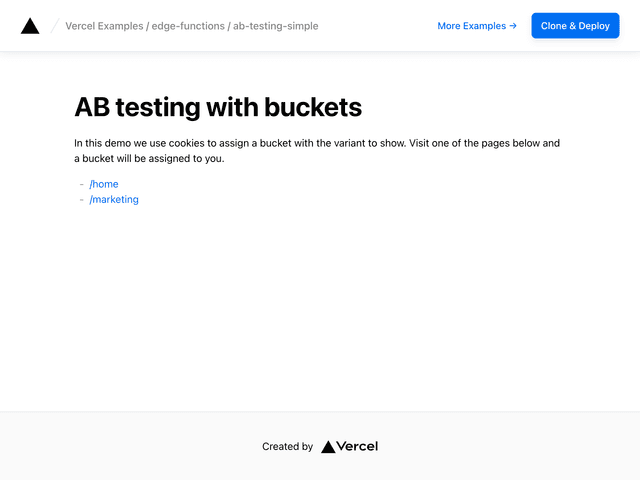
By A/B testing at the edge, you'll reduce CLS from client-loaded experiments and improve your site's performance with smaller JS bundles.
A/B Testing Simple
v0

Build applications with AI

AI SDK

The AI Toolkit for TypeScript

AI Gateway

One endpoint, all your models

Vercel Agent

An agent that knows your stack

Sandbox

AI workflows in live environments

CI/CD

Helping teams ship 6× faster

Content Delivery

Fast, scalable, and reliable

Fluid Compute

Servers, in serverless form

Observability

Trace every step

Bot Management

Scalable bot protection

BotID

Invisible CAPTCHA

Platform Security

DDoS Protection, Firewall

Web Application Firewall

Granular, custom protection

Customers

Trusted by the best teams

Blog

The latest posts and changes

Changelog

See what shipped

Press

Read the latest news

Events

Join us at an event

Docs

Vercel documentation

Academy

Linear courses to level up

Knowledge Base

Find help quickly

Community

Join the conversation

Next.js

The native Next.js platform

Nuxt

The progressive web framework

Svelte

The web’s efficient UI framework

Turborepo

Speed with Enterprise scale

AI Apps

Deploy at the speed of AI

Composable Commerce

Power storefronts that convert

Marketing Sites

Launch campaigns fast

Multi-tenant Platforms

Scale apps with one codebase

Web Apps

Ship features, not infrastructure

Marketplace

Extend and automate workflows

Templates

Jumpstart app development

Partner Finder

Get help from solution partners

Platform Engineers

Automate away repetition

Design Engineers

Deploy for every idea